Binary .dlt captures
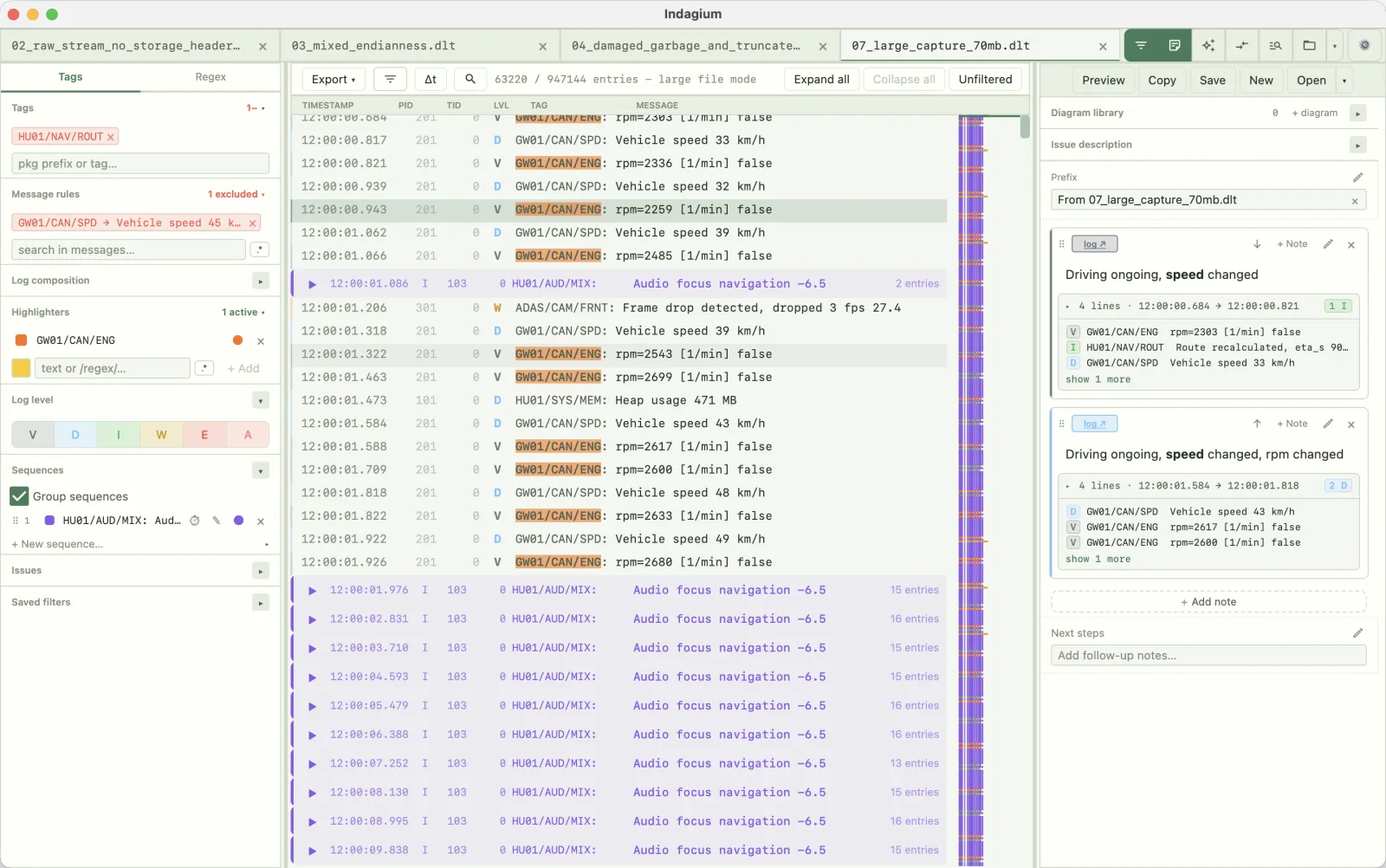
Binary DLT captures are decoded as framed records, the same way a logcat file is parsed into rows you can filter and read.
Features / DLT viewer
Indagium opens Diagnostic Log and Trace (DLT) captures alongside Android logcat, so a desktop trace and a DLT capture from the same investigation can sit in the same workspace — filtered, folded, and annotated the same way, including on macOS where a native DLT viewer has been hard to find.
Supported DLT formats
Indagium opens files — it does not connect to a DLT daemon or vehicle network to capture traffic itself. Bring the capture from your existing DLT tooling, then open it directly:
.dlt capturesBinary DLT captures are decoded as framed records, the same way a logcat file is parsed into rows you can filter and read.
A raw DLT stream — without a surrounding container — opens the same way as a saved .dlt file.
Already exported a trace from DLT Viewer as text or CSV? Open that export directly in Indagium to filter, fold, and annotate it.
Level, tag, and message filters, sequence folding, thread maps, time deltas, compare view, and note export all apply to a DLT tab.
DLT protocol handling
Non-verbose DLT payloads are retained as safe text/hex rather than interpreted through FIBEX or ARXML definitions — so a capture opens and reads without needing project-specific description files on hand. An oversized DLT capture can be split like any other large log: binary captures are split frame-aware, so every resulting part is a valid standalone DLT stream, and DLT Viewer CSV parts repeat the header row so each part stays independently readable.
Compare the workspace to a plain viewer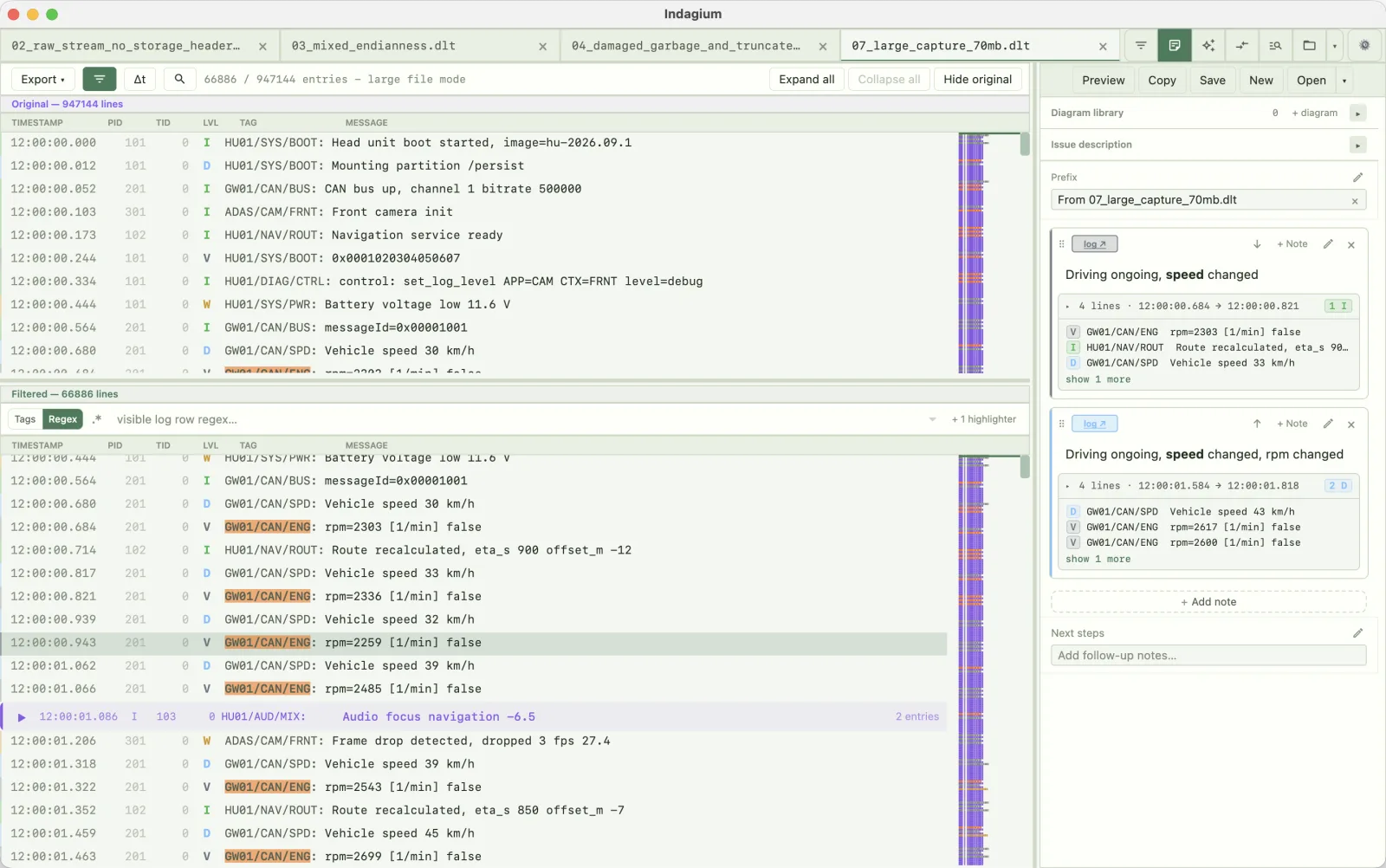
Check the filter
The Unfiltered button splits one DLT tab vertically: the complete capture on one side, your filtered view on the other. Tag and message rules stay editable right above the filtered half, so you can narrow by ECU, application, or context and confirm nothing important dropped out — without opening a second copy of a large capture.
See every filter the analyzer offers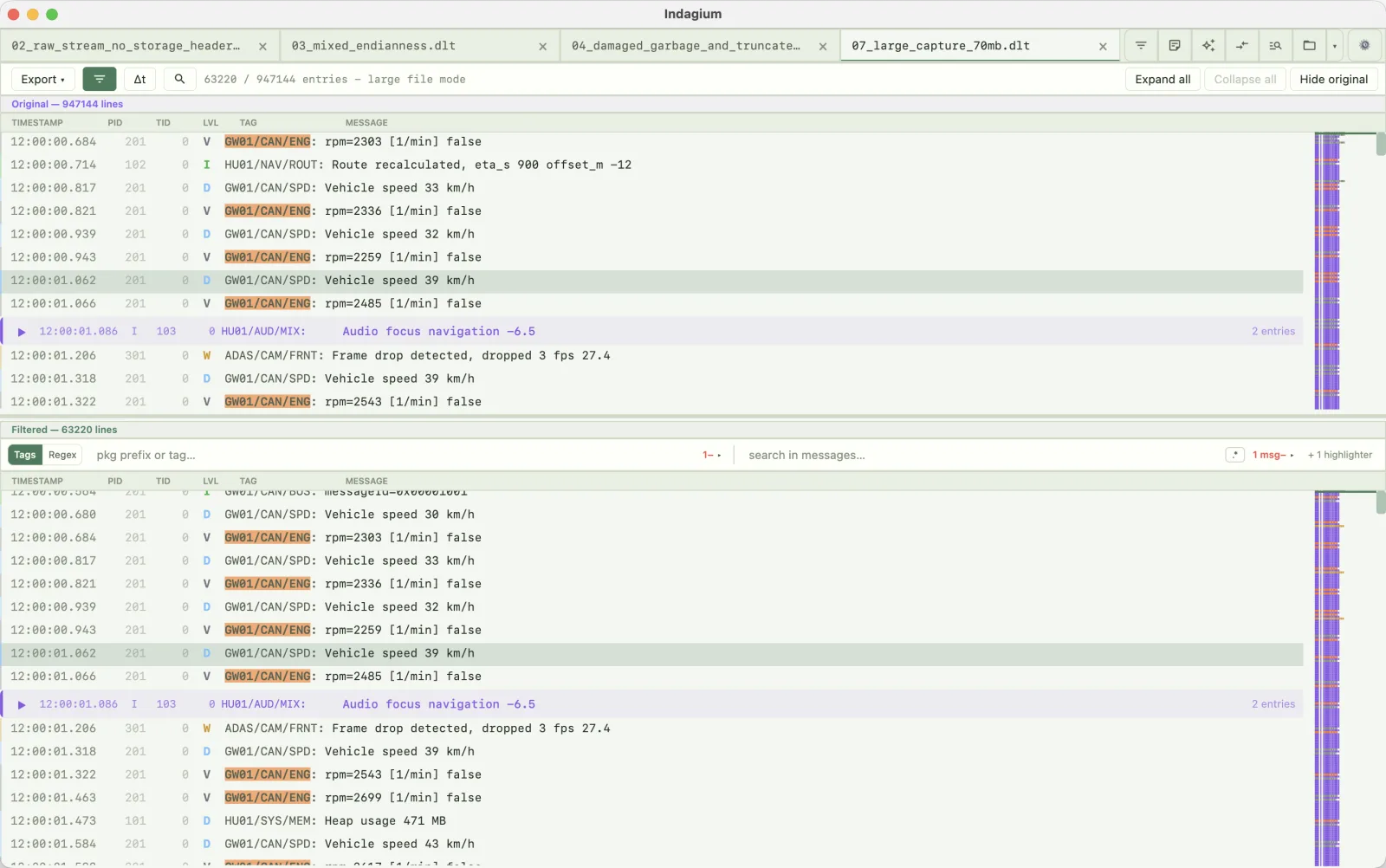
Stated plainly
These limits are worth knowing before you rely on Indagium for a DLT capture:
Non-verbose payloads are shown as safe text/hex, not decoded through FIBEX or ARXML definitions — the raw payload is preserved, not reconstructed into typed fields.
DLT protocol v2 streams are not supported and cannot be split. Only DLT protocol v1 binary captures, raw streams, and DLT Viewer text/CSV exports are covered.
Live tailing works on plain-text logs as they're written, but DLT tabs do not support live UTF-8 tailing — open a completed capture instead.
Indagium does not talk to a DLT daemon or vehicle network. Capture with your existing tooling, then open the resulting file here.
Frequently asked
Not for capturing or FIBEX/ARXML-based non-verbose decoding. Indagium opens .dlt captures, raw DLT streams, and DLT Viewer's own text/CSV exports as a desktop analysis workspace — you can bring an existing DLT Viewer export into Indagium for filtering, folding, and annotation.
Indagium runs natively on Apple Silicon Macs as a .dmg, alongside Windows (.msi) and Linux (.deb, AppImage, Flatpak) builds, so a DLT capture opens in the same desktop app regardless of platform.
No. Binary captures are decoded into framed records, but non-verbose payloads stay as safe text/hex rather than being interpreted through FIBEX or ARXML definitions.
Yes, for DLT protocol v1: splitting is frame-aware, so every part is a valid standalone DLT stream, and DLT Viewer CSV exports repeat the header row in each part. DLT protocol v2 streams are not supported and cannot be split.
Indagium's free functionality is available for commercial and non-commercial use. New official binaries that include the EULA use that agreement; optional premium subscriptions are not required for free functionality. Public source remains source-available under PolyForm Perimeter, not open source. Earlier releases retain their original terms.
Keep going