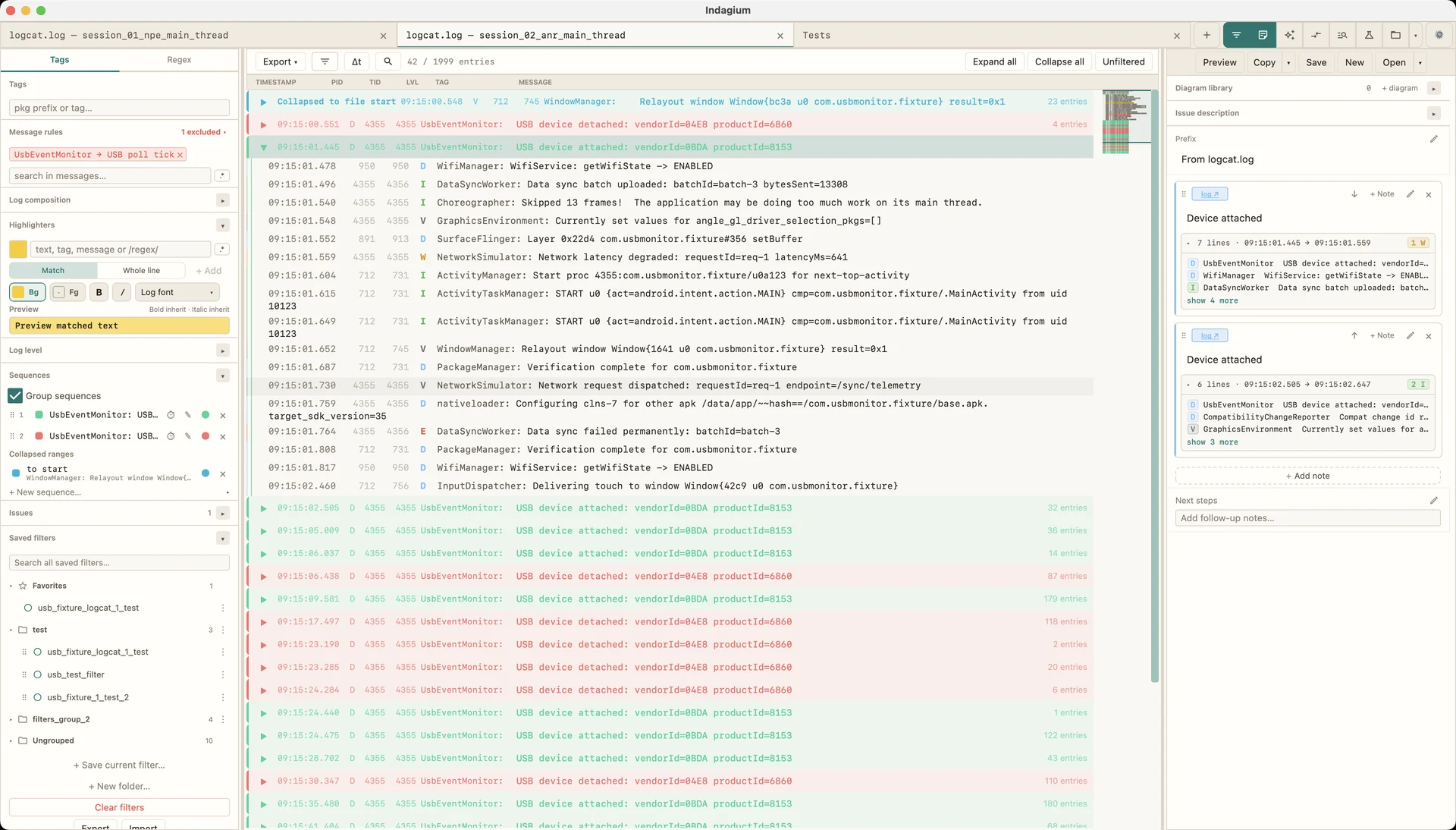
Indagium is a free, offline Android log viewer and logcat analyzer for investigating adb logcat files, bugreports, and DLT captures — from the first strange line to a clear, shareable explanation.
A dedicated place to retain the context around the line that matters.Filter USB polling, expand recurring attach/detach events, and keep the evidence. · 44 sec
Exhibit 01 / Live device capture
Record logcat and screen video together. Continue after a reboot.
Connect an Android device by USB or wireless debugging, investigate the live log as you reproduce an issue, and save a ZIP snapshot by default or choose Indagium Compact (.ind) for a smaller archive opened in Indagium. If the device restarts or temporarily disconnects, the same capture waits for it and preserves the outage interval.
USB / WIRELESS / REBOOTS / SYNCHRONIZED ARCHIVE
Start with the event, finish with evidence.
Filter and annotate while capture runs. Save a snapshot without stopping, then reopen the archive to move between log rows and the recorded screen together. ZIP is the default; Indagium Compact (.ind) is an optional smaller archive for opening in Indagium. During a reboot, Indagium waits for the original authorized device and marks the time it was unavailable.
A log viewer and log analyzer in one. Indagium helps it speak.
Work through the real sequence of events without flattening it into an endless stream of text. Filter, compare, fold recurring behavior, connect source and video, and leave an explanation the next person can follow.
01
Read the log
Open logcat .txt/.log files, Android bugreports, large traces, and supported DLT captures in a calm, native workspace — no Android Studio required.
02
Connect the clues
Follow the timing, repetition, thread activity, source, and video around an incident.
03
Explain the finding
Annotate the proof and export a record that is useful outside the app.
Collected evidence
Find the moment your logcat changed.
EXHIBIT A / REMOVE THE NOISE
Filter for the signal.
Combine level, tag, package, message, PID, and TID rules without changing the original log.
Build an editable sequence diagram from selected log rows or the filtered view, then review each message beside its source evidence. Unsupported targets stay visible for review.
Bring your preferred local or hosted AI provider into the active log, or connect any MCP client to Indagium’s own local MCP server. The assistant can investigate using Indagium’s tools, while every file-changing action stays under your control.
Attach a screen recording to a log line and move through them together. When a visual symptom needs an exact timestamp, the evidence remains in one place.