Open multi-gigabyte logcat files
Indagium supports multi-gigabyte logcat .txt and .log files, with optional split-on-open for the biggest.
Features / Android logcat viewer
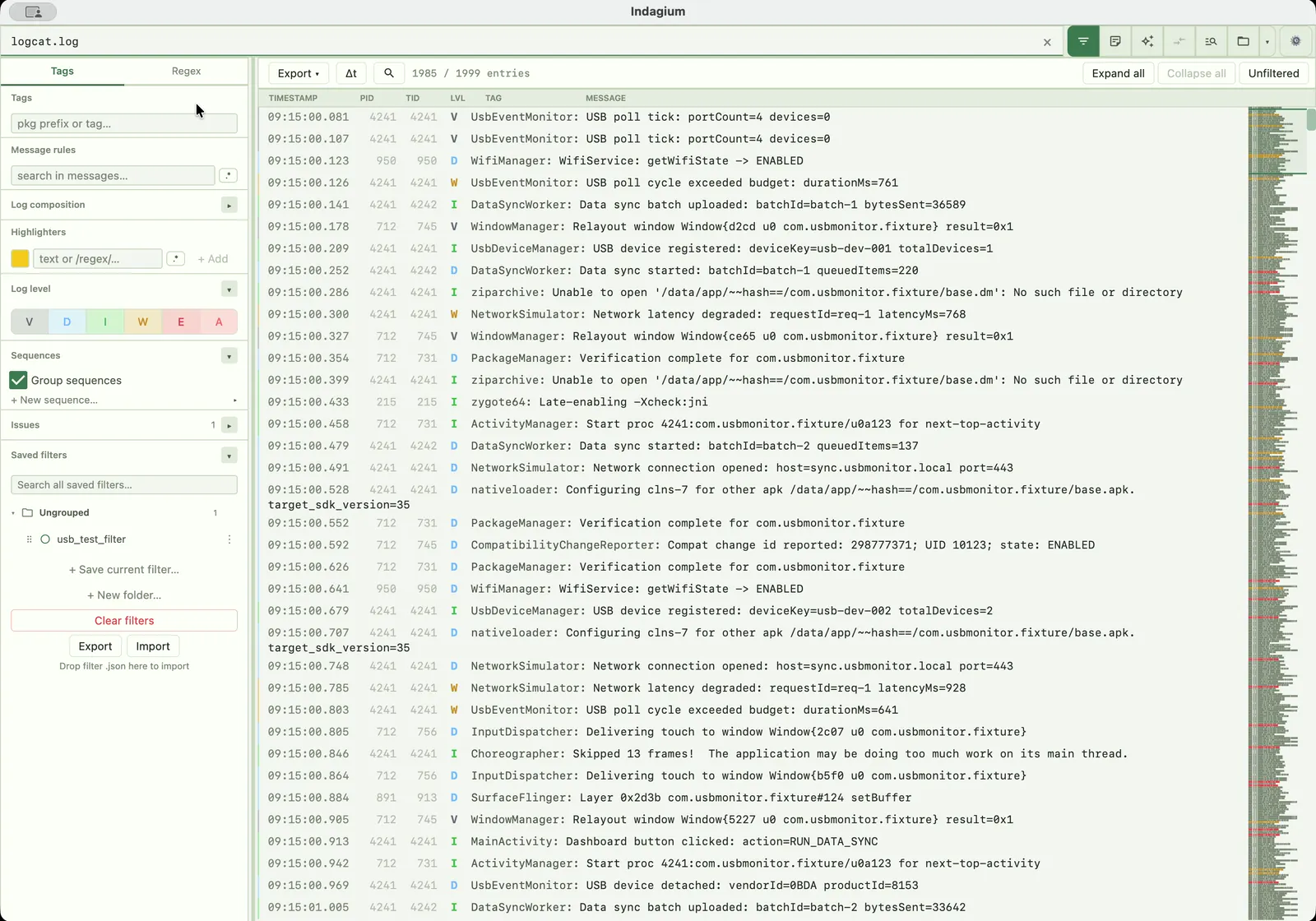
Open a logcat .txt or .log file, preserve its shape, and investigate what happened around the line that matters. Indagium is a free, offline Android log viewer and logcat viewer for macOS, Windows, and Linux — no Android Studio required.
The viewer
This Android log viewer brings reading, navigation, and investigation into one workspace so a useful clue does not disappear into a copied snippet.
Indagium supports multi-gigabyte logcat .txt and .log files, with optional split-on-open for the biggest.
Use a minimap, thread map, time deltas, stack-trace folding, and custom issue rules while you read.
Open multiple tabs, compare two tabs side by side, or tail a file live with the current filter already applied.
Collapse recurring regions into colored, nestable groups, or manually fold an explicit range.
What you can open
Point Indagium at an existing file and it opens directly — no conversion step, device connection, or Android Studio project is required to read a saved log. For a new live device session, Indagium also captures logcat over USB or Wi-Fi and can record the screen alongside it.
Open logcat .txt or .log files in threadtime, time, brief, or bare format; unrecognised lines fall back to tag RAW. Level filters cover V, D, I, W, E, and A individually.
Open a bugreport's .zip or .7z archive directly and pick which content to load into the active tab, instead of extracting the whole archive to disk first.
Open .dlt binary captures and raw DLT streams; frames are decoded as records, and non-verbose payloads are kept as readable text/hex (not interpreted through FIBEX or ARXML).
Open DLT Viewer text and CSV exports the same way as a native logcat file, including split parts that repeat the CSV header row.
Connect over USB or Android 11+ wireless debugging to stream logcat and record screen video together. Save a ZIP by default or choose Indagium Compact (.ind); reopen either archive in Indagium with available video synchronized to the log.
Next clue
When a line becomes a question, use Indagium's log analyzer — filters, compare views, notes, source lookup, and exports — to keep the investigation connected.
See the log analyzer workflow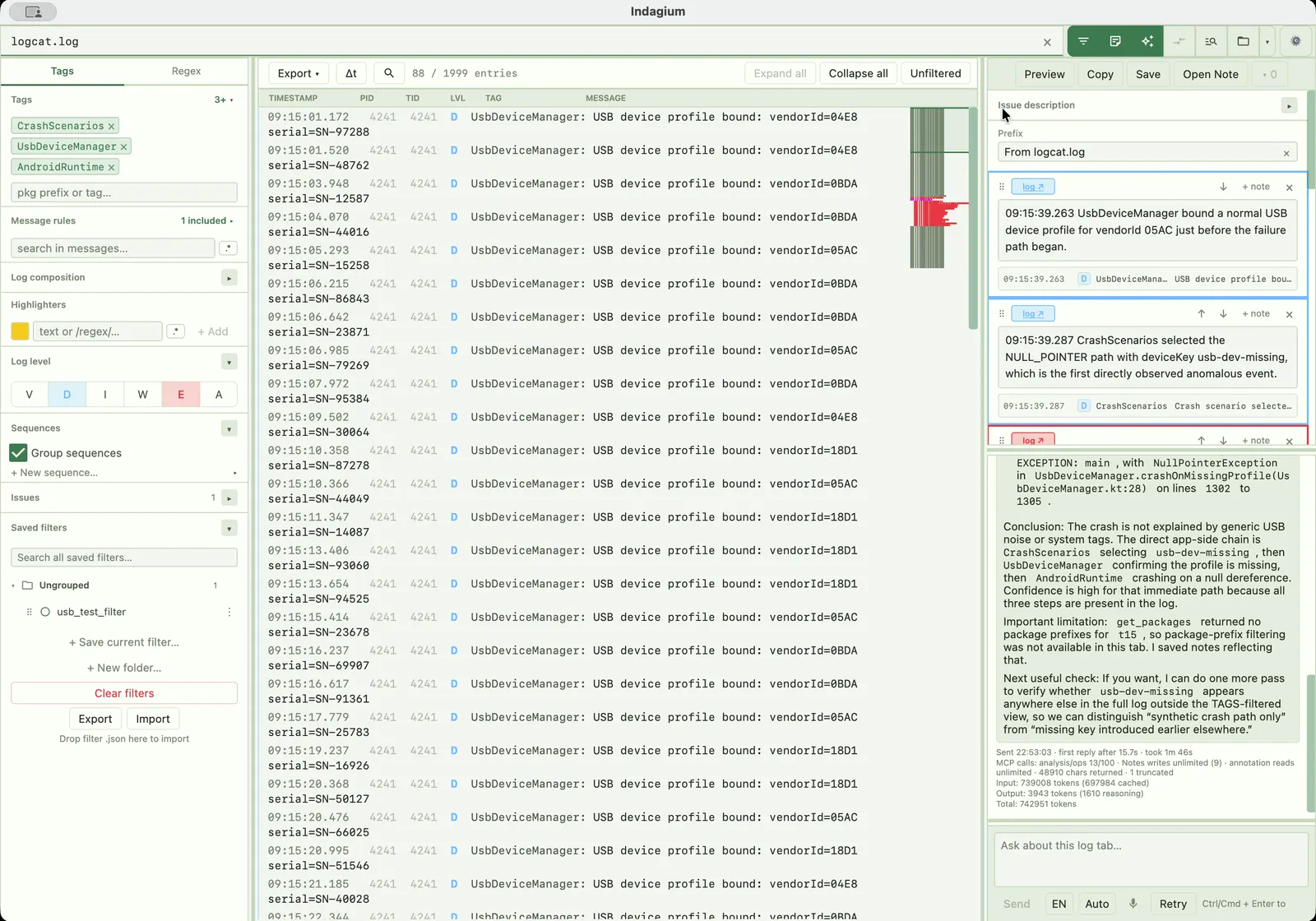
Questions
Common questions about opening and reading logcat files, bugreports, and DLT captures in Indagium.
Indagium opens logcat text in threadtime, time, brief, and bare formats (unrecognised lines are shown with tag RAW), plus DLT (.dlt) binary captures, raw DLT streams, and DLT Viewer text/CSV exports.
Yes. Indagium can stream live logcat from an authorized Android device over USB or Android 11+ wireless debugging, and record screen video in the same session. Save a ZIP by default or choose Indagium Compact (.ind); both reopen in Indagium with available video linked to the log. Existing files still open offline; see the Android logcat capture guide for setup.
Yes, Indagium's free functionality is available for commercial and non-commercial use. Optional premium functionality may require payment. New official binaries that include the EULA use that agreement; public source remains under PolyForm Perimeter. Earlier releases retain their original terms.
Yes. Android Studio's Logcat window follows a connected device; Indagium opens the saved .txt or .log file instead, as a focused desktop app for macOS, Windows, and Linux with filters, folded sequences, and side-by-side comparison.
Multi-gigabyte logs, with an optional split-on-open for the very biggest files.