Guide / Android logcat
Analyze Android logcat with a repeatable trail.
This short workflow follows the shape of an investigation in Indagium, a free, offline Android log viewer and analyzer: open the evidence — an adb logcat .txt/.log file, a bugreport, or a DLT capture — reduce the noise, follow the sequence, corroborate the clue, and export what you learned.
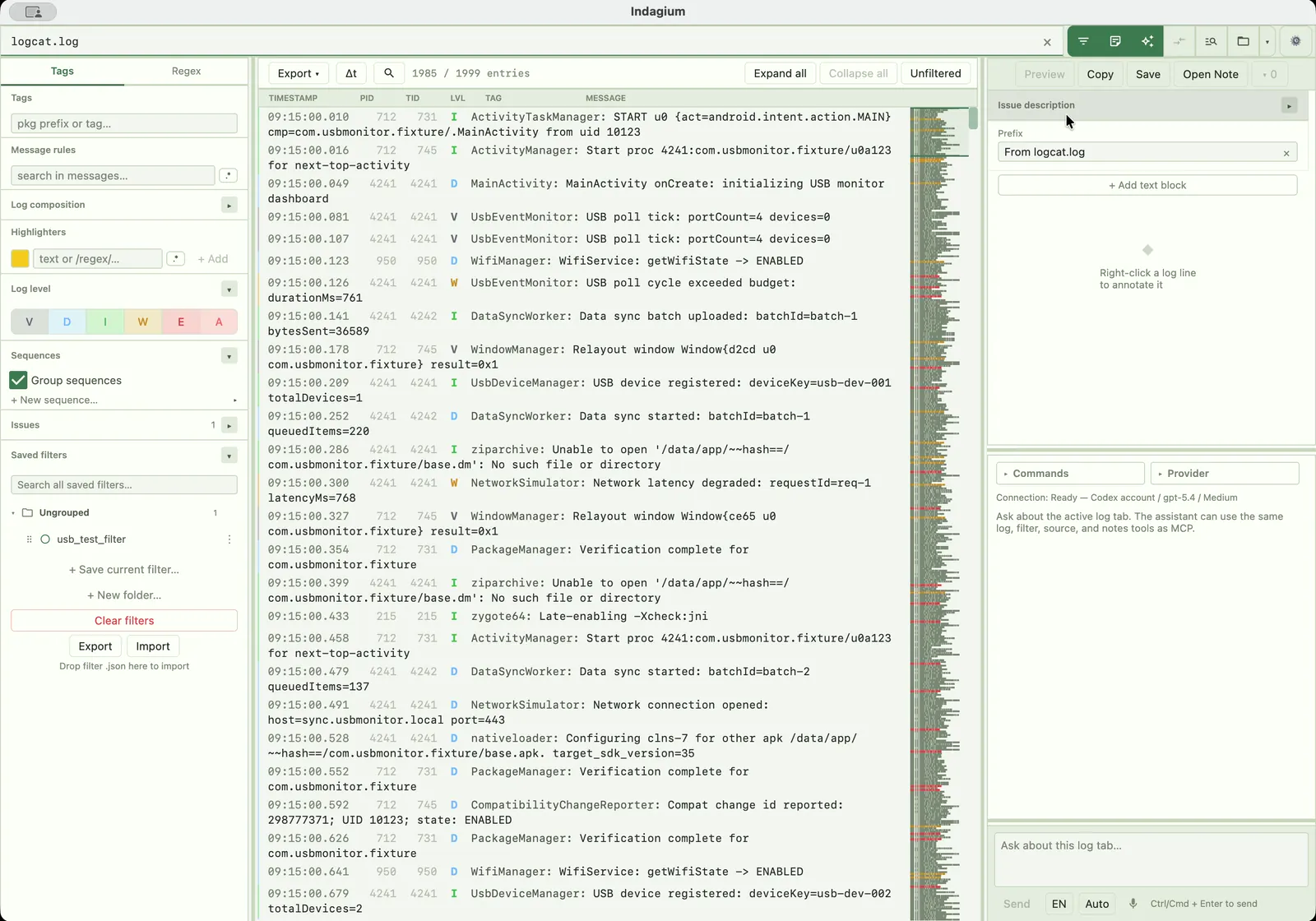
The investigation trail
Five steps from noise to evidence.
- 01
Open the logcat file or bugreport
Open an adb logcat .txt or .log file in a tab — no Android Studio needed. For an Android bugreport, open the
.zipor.7zarchive directly and choose what to load. - 02
Narrow the signal
Combine level, tag, package, message, PID, and TID rules. Use substring or regular-expression matching when the clue needs a precise boundary.
- 03
Follow the pattern
Use crash and ANR detection, stack-trace folding, sequences, thread maps, and time deltas to see how the event unfolds.
- 04
Corroborate the clue
Compare tabs, inspect the source method that emitted a line, attach an existing screen recording, or capture live logcat and screen video together. An AI assistant — local, hosted, or over MCP — can investigate the tab with you.
- 05
Leave the record
Annotate selections with notes, images, and video frames. Export the filtered log to TXT or CSV, or export annotations as Markdown or Jira markup.
Keep going